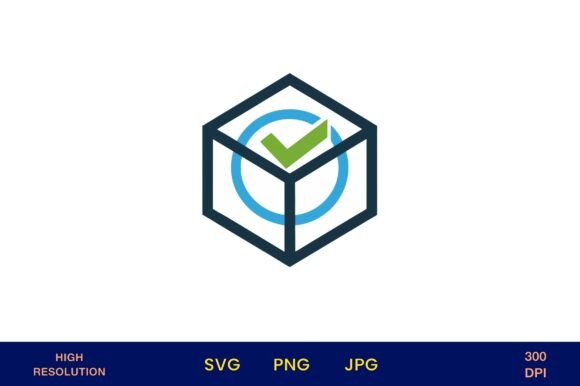
3D Checkbox Icon in Blue and Green
Imagine a simple checkbox that doesn’t just mark a task complete but adds visual flair to your design. The 3D Checkbox Icon in Blue and Green does exactly that. This digital asset combines depth, color, and clarity to serve a wide range of creative and practical design needs. Whether you're building a digital layout or preparing a printable piece, this icon brings a modern, polished touch to your work.
Why This Icon Stands Out
The 3D Checkbox Icon in Blue and Green is more than just a checkmark. It’s rendered with realistic lighting and dimension, giving it a tactile, almost physical presence on the page. The color combination of blue and green adds balance—blue for trust and calm, green for growth and renewal. Together, they create a versatile visual tone that works across industries and themes.
Because it’s delivered as a high-resolution PNG, JPG, and SVG with transparent backgrounds, you can easily layer it into any project without worrying about clashing with other design elements. At 4200px x 4200px and 300 dpi, it’s print-ready and scalable, making it ideal for both digital and physical applications.
Design Possibilities with This Icon
This icon isn’t just for to-do lists or digital forms. Its clean, modern look opens up a world of creative potential. Here are a few ways to use the 3D Checkbox Icon in Blue and Green:
- Social media content: Use it in infographics or checklist posts to highlight completed goals or featured items.
- Printable planners: Add it to habit trackers, goal-setting pages, or weekly checklists to give your planner a polished, interactive feel.
- Wedding and event design: Incorporate it into seating charts, task lists, or save-the-date graphics for a clean, modern aesthetic.
- Product packaging: Use the icon on labels or tags to indicate eco-friendly materials, completed steps in a process, or premium features.
- Brand identity: Integrate it into your visual language to represent confirmation, approval, or success within your messaging.
Adapting for Different Audiences
One of the best features of this icon is its adaptability. Whether you're designing for a corporate client, a personal blog, or a creative small business, the 3D Checkbox Icon in Blue and Green can be tailored to fit the tone and purpose of your project.
For example:
- Marketers: Use the icon in email campaigns to indicate completed steps in a customer journey or to highlight features in a product comparison chart.
- Bloggers: Incorporate it into blog post templates for checklist articles or how-to guides to help readers track progress.
- Wedding planners: Feature the icon in printable checklists or digital invitations to add a cohesive, modern design element.
- Educators: Use it in lesson plans, student progress charts, or classroom visuals to represent completed tasks or learning milestones.
Styling and Variations
While the icon itself is rendered in blue and green, you can adapt its use to match your color palette or project theme. Try using only the blue portion in a monochrome design or pair it with complementary colors for a bold visual effect. Because it’s available in SVG format, you can even tweak the colors or elements in vector editing software like Adobe Illustrator or Inkscape.
For a minimalist look, place the icon on a white background with subtle shadows. For a more dynamic layout, layer it over textured backgrounds or use it as a bullet point in a styled list. You can even animate the icon in digital formats to create interactive user experiences.
Practical Tips for Using This Icon
While creativity is key, practicality ensures your design stays effective. Here are a few tips to help you use the 3D Checkbox Icon in Blue and Green successfully:
- Keep it consistent: If you’re using multiple icons in a design, make sure they all follow the same visual style and scale.
- Use it purposefully: Don’t add the icon just for decoration. Make sure it supports the message or function of your design.
- Test for clarity: Especially in print, make sure the icon remains recognizable at different sizes. A 3D effect can sometimes get lost when scaled down.
- Align with your brand: If your brand uses specific colors or tones, consider how the blue and green hues complement your existing visual identity.
Project Ideas to Try
If you’re looking for inspiration, here are a few project ideas that can benefit from using this icon:
- Goal-setting printable: Design a downloadable PDF that helps users track monthly goals, with checkboxes for each milestone.
- Business checklist: Create a branded checklist for entrepreneurs or small business owners, using the icon to mark completed actions.
- Wellness tracker: Develop a digital or printable habit tracker focused on health, with checkboxes for daily hydration, exercise, or mindfulness practices.
- Event planning kit: Assemble a digital toolkit for wedding planners or party coordinators, including task lists and timelines with the icon integrated throughout.
- Interactive website elements: Use the SVG version to animate checkboxes on a website form or user dashboard, enhancing the user experience with visual feedback.
Final Thoughts
The 3D Checkbox Icon in Blue and Green is more than just a design asset—it’s a versatile tool that enhances clarity, engagement, and professionalism in your creative work. Whether you’re building digital content or preparing print materials, this icon offers a clean, modern way to guide your audience and reinforce your message.
With transparent backgrounds, high resolution, and multiple file formats, it’s designed to fit seamlessly into your workflow. So whether you're a seasoned designer or just starting out, this icon is a smart addition to your creative toolkit. Just download, place, and let it elevate your design with minimal effort and maximum impact.