Fast Food Packaging 3D Mockup: Avoiding Common Mistakes and Making the Right Choice
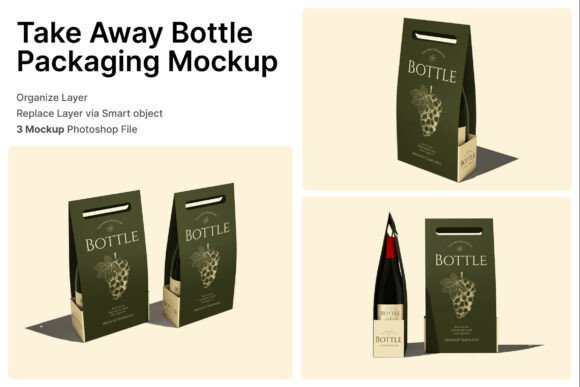
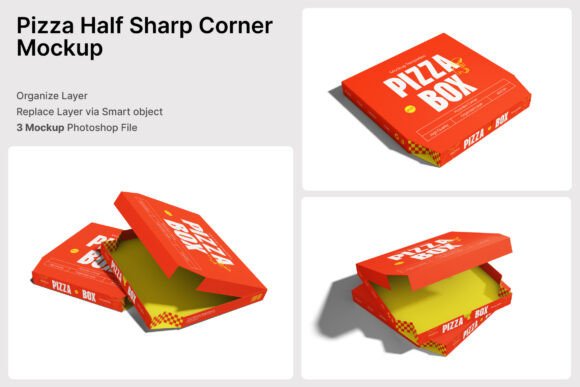
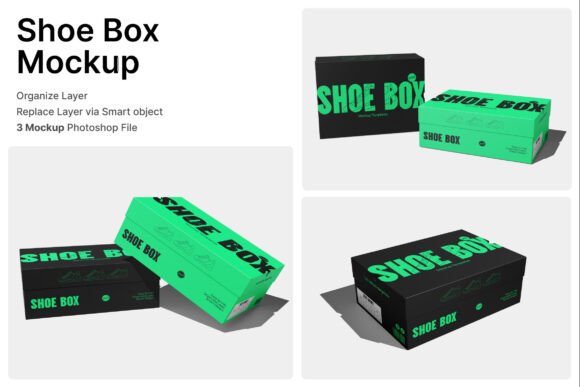
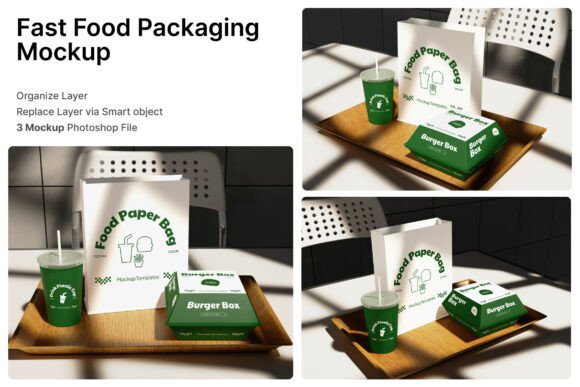
When it comes to branding and marketing for fast food businesses, presentation matters more than most people realize. A realistic Fast Food Packaging 3D Mockup can be a game-changer for restaurant owners, marketers, and designers looking to showcase their takeaway packaging concepts in a professional, visually appealing way. These mockups provide a lifelike preview of how burger boxes, paper bags, and beverage cups will look in real-world settings, helping brands make informed design decisions before production.
However, despite their usefulness, many users encounter pitfalls when choosing or using these mockups—mistakes that can cost time, money, and creative clarity. Let’s explore some of the most common issues and how to avoid them.
Understanding the Fast Food Packaging 3D Mockup
A Fast Food Packaging 3D Mockup typically includes a set of high-resolution design templates that simulate real packaging items such as burger boxes, paper bags, and drink cups. These are often delivered as layered PSD files, allowing users to insert their own branding elements via smart object layers. The mockup's realistic rendering helps visualize how the final packaging will appear in promotional materials, social media posts, or brand presentations.
These mockups are especially useful for small businesses and entrepreneurs who want to maintain a professional image without the expense of physical prototypes. They also serve as a valuable tool for agencies and freelance designers pitching concepts to clients.
1. Overlooking File Compatibility and Requirements
One of the most frequent issues users face is assuming that all mockups work seamlessly with any design software. While PSD files are standard, not everyone has Adobe Photoshop or knows how to use smart object layers effectively. If you're unfamiliar with how to edit smart objects—such as double-clicking the layer, placing your design, and saving—this can lead to frustration or poor-quality results.
Better approach: Before downloading or purchasing a mockup, confirm that you have the right software and basic knowledge to use it. If not, consider investing time in a short tutorial or opting for a simpler design tool that integrates with mockup templates.
2. Ignoring Image Resolution and Output Quality
Many users are surprised when their mockup looks blurry or pixelated in print or online. This usually happens because they didn’t check the resolution—especially important for a Fast Food Packaging 3D Mockup that may be used in both digital and printed formats. A 4000 x 3000 pixel dimension at 300 dpi is standard for high-quality output, but not all mockups meet this benchmark.
Better approach: Always verify the file resolution before purchase. If you plan to use the mockup in printed materials like menus or flyers, make sure the DPI (dots per inch) is set to 300, not 72, which is common for web use only.
3. Using Stock Images Without Proper Licensing
Some mockups come with embedded stock images—backgrounds, food items, or lifestyle scenes—that may not be included in the purchase. Users often assume these are free to use, but if they aren’t properly licensed, it can lead to copyright issues down the line.
Better approach: Read the included help guide carefully. If the package states that image stock is not included, source your own licensed images or replace the default ones before publishing your design.
4. Misjudging the Mockup’s Realism and Applicability
Not all mockups are created equal. Some look overly digital or lack the subtle textures and lighting needed for a realistic effect. This can be a problem when presenting to clients or using the mockup in promotional content where authenticity matters.
Better approach: Preview the mockup in action. Look for features like layered shadows, texture details, and natural lighting. If possible, download a sample or view a demo to ensure the realism matches your brand’s aesthetic.
What to Check Before Downloading or Buying a Fast Food Packaging 3D Mockup
- File format and compatibility – Confirm that the package includes PSD files and that you can work with smart objects.
- Resolution and DPI – Make sure it's suitable for both digital and print use if needed.
- Usage rights and licensing – Know what you can and cannot do with the mockup, especially regarding commercial use.
- Help documentation – A PDF guide or instructions can save hours of confusion.
- Customer reviews and ratings – See what others say about usability and realism.
How to Use Your Mockup Effectively
Once you’ve selected the right Fast Food Packaging 3D Mockup, it's time to put it to work. Here are a few tips to ensure you get the most out of your design:
- Test multiple branding variations – Use the mockup to try different color schemes, logos, and taglines before finalizing your design.
- Match your brand identity – The packaging should reflect your brand’s tone—whether it’s fun and casual or sleek and modern.
- Use in multiple contexts – Apply the mockup to digital ads, social media posts, pitch decks, and even packaging prototypes for investors or manufacturers.
Final Thoughts
A well-chosen Fast Food Packaging 3D Mockup can elevate your branding and help you communicate your vision clearly and professionally. But like any design tool, its effectiveness depends on how well you understand and use it. By avoiding common mistakes—like ignoring file specs, misjudging realism, or overlooking licensing—you can ensure your mockup serves its purpose without unnecessary setbacks.
Whether you're a small business owner creating your first packaging design or a designer pitching to a client, taking the time to choose and use your mockup wisely will save you time, effort, and potential embarrassment. With the right approach, your fast food packaging can look as appetizing as the food inside.